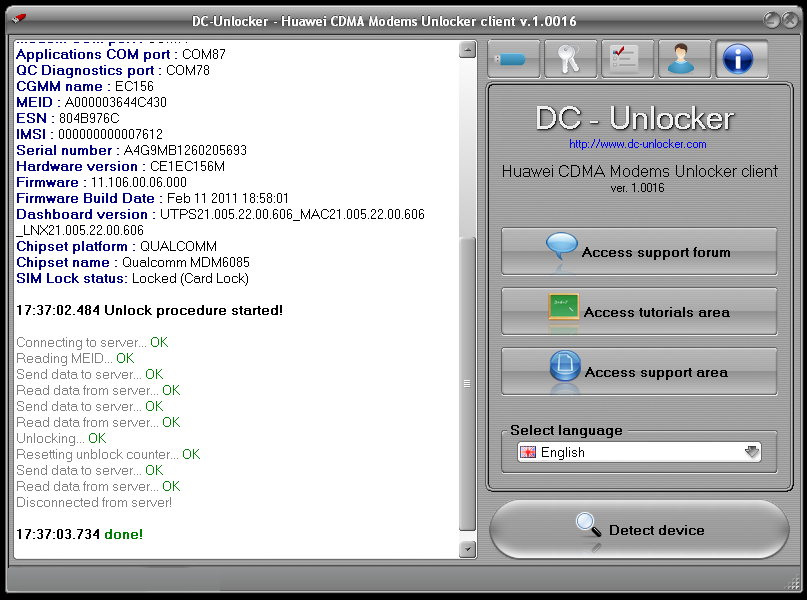
Launch DC-Unlocker Huawei CDMA Modems Unlocker client
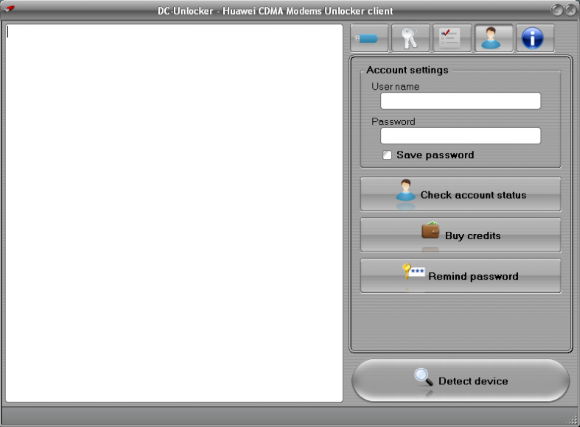
Open User Account data tab, enter your username
and password that you received after credits purchase. Click "Check
account status". (you can buy credits here www.dc-unlocker.com/buy)
If DC-Unlocker/Vygis/Rocker/Infinity dongle is connected, do not enter username and password, only click "Check login".
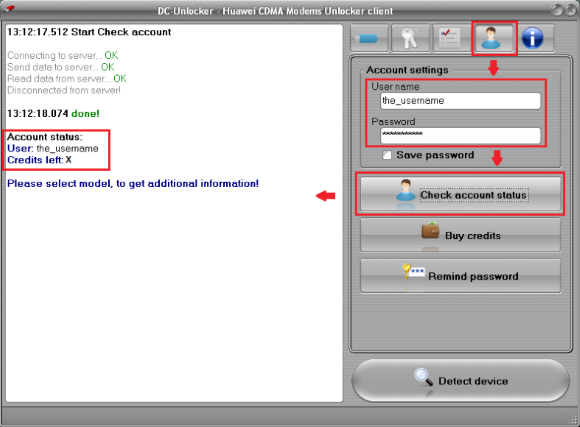
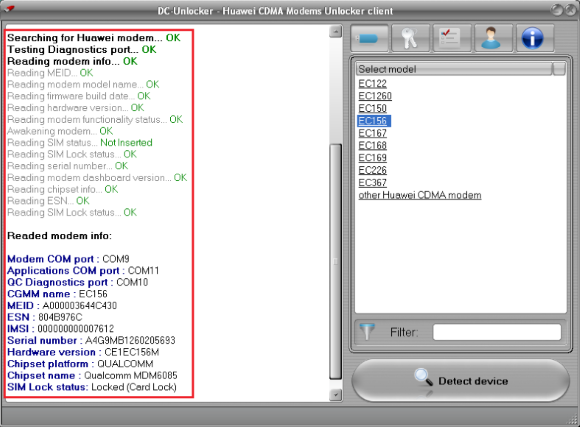
Now proceed to Modems tab and click Detect device
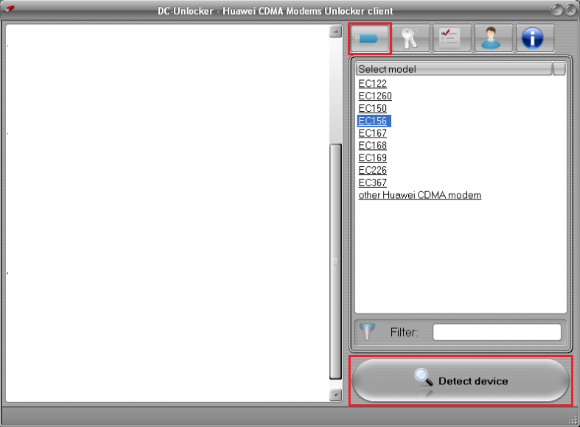
Wait till DC-Unlocker Huawei CDMA Modems Unlocker software fully detects device
Open Unlock tab and click Unlock button, wait till you see message that modem is unlocked
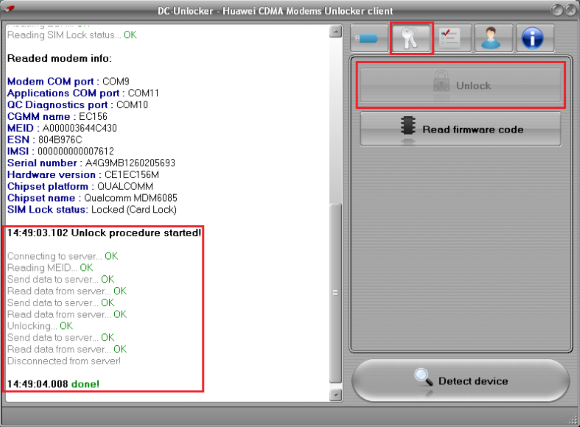
After you see that modem successfully unlocked, restart it by disconnecting and connecting it back. NOTE: if after performing unlock operation modem is still locked follow these steps:
Launch DC-Unlocker Huawei CDMA Modems Unlocker client again, repeat
login procedure. Navigate to Help tab and click Access support area