mbacollegespune.in


Friday, 20 March 2015

Octoplus JTAG Software v.1.8.5 is out Download Fast Time Your Computer


Octoplus JTAG Software v.1.8.5 is out!

We have added Boot Repair via USB and small TP for LG Optimus LTE II F160LV, LG F160K, LG F160S

and via JTAG for ZTE P752D (Vodafone Smart Chat V865) and Huawei E171 (CPU: HiSilicon HI6731)!


Octoplus Box JTAG Software v.1.8.5 Release Notes

  • Added support for the following models:


- LG F160LV - added Dead Boot / Device Repair via USB

- LG F160K - added Dead Boot Repair via USB

- LG F160S - added Dead Boot Repair via USB

- Huawei E171 (CPU: HiSilicon HI6731) - added Dead Boot / Device Repair via JTAG

- ZTE P752D - added Dead Boot / Device Repair via JTAG (thanks to Mr. Dr_Wolodya)


  • All pinouts and Repair procedures are described in the manual ("Help" button in Software)


To repair mentioned above devices via USB, please follow the next three steps:

  1. Attach
    testpoint as shown on Figure 1 in the Software manual and connect your
    phone using Micro USB cable directly into the mainboard’s USB port

    (do NOT use any USB hubs!)

  2. Check PC Device Manager, a
    new device should appear "Qualcomm HS-USB QDLoader 9008" or "Unknown
    Device" if you hadn’t installed the driver yet.

    Drivers are in {Installation_Folder}\Driver\QHSUSB

  3. Release testpoint and press “EasyRepair” button in the software (or “Connect” button, when in Advanced Mode)


How To Unlock Or Flash This Phone Video Here
http://www.youtube.com/watch?v=glWbm1bvrCw


Download Octoplus Box JTAG Software v.1.8.5


Find out more at: www.octoplusbox.com


LG 2-3G Tool v7.0 released. LG Optimus F3


LG 2-3G Tool v7.0 released. LG Optimus F3


Added :

- support LG MS659 (direct unlock, imei repair, qcn read/write, nvm read/write/repair, sec zone read/write/reset, hint)

- support LG P655H (direct unlock, imei repair, qcn read/write, nvm read/write/repair, sec zone read/write/reset, hint)

- support LG P655K (direct unlock, imei repair, qcn read/write, nvm read/write/repair, sec zone read/write/reset, hint)

- support LG P659 (direct unlock, imei repair, qcn read/write, nvm read/write/repair, sec zone read/write/reset, hint)

- support LG P659BK (direct unlock, imei repair, qcn read/write, nvm read/write/repair, sec zone read/write/reset, hint)

- support LG P659BKGO (direct unlock, imei repair, qcn read/write, nvm read/write/repair, sec zone read/write/reset, hint)

Multi-language interface - for translate use Z3X LG 2-3G Tool (Z3X LG 2-3G Tool)


Mega link: https://mega.co.nz/#!6lVRmaoJ!kBpy0S...c-wIJkLQgTlu4s


Octoplus/Octopus Box Samsung v.1.8.9 - another world's 1st update


Octoplus/Octopus Box Samsung Software v.1.8.9 is out!

We have added world's first
support for SM-E500M, SM-E500HQ, support for Samsung SM-N9150,
SM-N915FY, SM-G360AZ, SM-G3606, SM-G3608, SGH-T599V and much more!


Octoplus/Octopus Box Samsung Software v.1.8.9 Release Notes

  • Added support for the following models:


- SM-E500M - added world's first Write
Cert, Write Firmware, Repair EFS, Wipe Security, Read/Write QCN,
Read/Write/Repair NVM, Read/Write Security, Read/Write EFS, Reboot in
Download/Recovery Mode, Read PIT

- SM-E500HQ - added world's first Write
Cert, Write Firmware, Repair EFS, Wipe Security, Read/Write QCN,
Read/Write/Repair NVM, Read/Write Security, Read/Write EFS, Reboot in
Download/Recovery Mode, Read PIT

- SM-N9150 - added Firmware
Write, Write Cert, Wipe Security, Repair EFS, Read/Write QCN, Read/Write
NVM, Read/Write Security, Read/Write EFS, Reboot in Download/Recovery
Mode

- SM-N915FY - added Firmware
Write, Write Cert, Wipe Security, Repair EFS, Read/Write QCN, Read/Write
NVM, Read/Write Security, Read/Write EFS, Reboot in Download/Recovery
Mode

- SM-G360AZ - added Write
Firmware, Write Cert, Wipe Security, Repair EFS, Read/Write QCN,
Read/Write/Repair NVM, Read/Write Security, Read/Write EFS, Reboot in
Download/Recovery Mode, Read PIT

- SM-G3606 - added Write
Firmware, Write Cert, Wipe Security, Repair EFS, Read/Write QCN,
Read/Write/Repair NVM, Read/Write Security, Read/Write EFS, Reboot in
Download/Recovery Mode, Read PIT

- SM-G3608 - added Write
Firmware, Write Cert, Wipe Security, Repair EFS, Read/Write QCN,
Read/Write/Repair NVM, Read/Write Security, Read/Write EFS, Reboot in
Download/Recovery Mode, Read PIT

- SGH-T599V - added Direct
Unlock, Write Firmware, Repair IMEI, Read/Write Security, Read/Write
EFS, Read PIT, Reboot in Download/Recovery Mode (thanks to Mr.
luckytarun)


  • Added Repair EFS via download
    mode (now, if you unable to perform "Wipe Security" operation, you can
    try to run "Repair EFS") for the following devices:


- SM-G357M, SM-G357F, SM-G357FZ

- SM-G360G, SM-G360F, SM-G360M, SM-G360GY, SM-G360FY, SM-G3609, SM-G360P, SM-G360BT

- SM-E500H, SM-E500F, SM-E500YZ

- SM-E700F, SM-E700M, SM-E700H, SM-E7000

- SM-N910A, SM-N910F, SM-N910T, SM-N910P, SM-N910V, SM-N910U, SM-N910G, SM-N910W8

- SM-N915A, SM-N915D, SM-N915F, SM-N915G, SM-N915P, SM-N915S, SM-N915T


  • Added Read EFS in "*.tar" format (now EFS backups are automatically saved into both "*.aefs" and "*.tar" formats.

    Therefore, now is possible to write EFS from Download Mode) for the next phone models:


- SM-N910A, SM-N910F, SM-N910T, SM-N910P, SM-N910V, SM-N910U, SM-N910G, SM-N910W8

- SM-N915A, SM-N915D, SM-N915F, SM-N915G, SM-N915P, SM-N915S, SM-N915T


  • Improved Write Cert operation for the following devices:


- SM-N900, SM-N9000Q

- SM-G850A, SM-G850F, SM-G850M, SM-G850T, SM-G850Y, SM-G850FQ, SM-G850K, SM-G850L, SM-G850S


  • As usual, next Gift for all our users! We have uploaded new certificates files into the Support area!

  • New QCN files have been uploaded as well!

  • All supported operations are described in details in the manual ("Cable & Manual" button in Software)


http://www.youtube.com/watch?v=npXX-REdBBI


http://www.youtube.com/watch?v=QYOEHcLPGaU


Download Octoplus/Octopus Box Samsung Software v.1.8.9


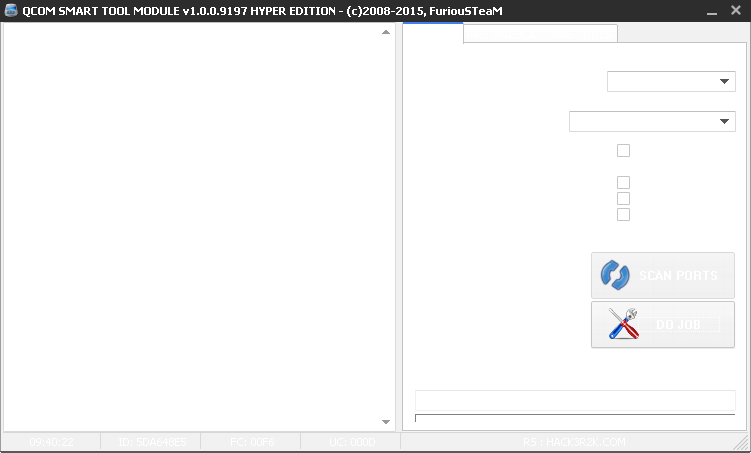
FURIOUSGOLD] QCOM SMART TOOL v1.0.0.9197 - RELEASED - MOCHE A16


In this version we added:


[X] DIRECT UNLOCK FOR Lanix_l500 - GWL_P1_1014002_01


[X] DIRECT UNLOCK FOR MOCHE SMART A16 - TMN_PRT_P821E10V1.0.0B04


[X] DIRECT UNLOCK FOR ZTE KIS 3 - VIRGIN_UK_P821E10V1.0.0BXX / GEN_EU_P821E10V1.0.0BXX


[X] WE FIXED THE CONNECTION BUG FOR TOSHIBA TG01 INTRODUCED IN PRIOR VERSIONS (thx to victor tsassong for the report)


[X] WE FIXED THE I/O TO HANDLE NEW ZTE SERIES Z998/Z740/T81 etc. (so be ready for the big news )


Special thanks to carlos32 for selling the phone to us !

How to unlock MOCHE SMART A16:

http://www.youtube.com/watch?v=NhK2Isyp4gY

Facebook:

www.facebook.com/furiousgoldbox

YouTube:
BLICK HERE TO VISIT OUR YOUTUBE CHANNEL

DOWNLOAD LATEST VERSION FROM:
CLICK HERE TO DOWNLOAD


ZEN X12 Dead Repair Done


Code:

  Detection initiated...
Vcc: null
Gnd: 5
Analyzing D+ and D-...
D+ = 3, D- = 2
Detection D+/D- with 1.28 seconds.
Continue to detect BOOT pin...
Found [SPD] USB device: SCI USB2Serial,(VID_1782&PID_4D00)
UsbVcc(VCC) = 1 10, BOOT(Pull Down) = 4
Setting...
Find USB device:SCI USB2Serial (COM165), (VID_1782&PID_4D00)
Pinouts setting complete!


Internal version: SPRD3
Boot downloaded.
Start boot please wait a moment....
Spreadtrum Boot Block version 1.2
CPU TYPE:SC6531 [65310000]
FLASH ID: 00EF004000160000
Flash Type:[WinBond] W25Q32BV
Size:0x400000(4MB)
Reading completed.
The data has been saved in C:\Documents and Settings\Shanu\Desktop\_20141128_143541_FullFlash zen x12.bin, size: 4 M.
Detection initiated...
Vcc: null
Gnd: 5
Analyzing D+ and D-...
D+ = 3, D- = 2
Detection D+/D- with 1.20 seconds.
Continue to detect BOOT pin...
Found [SPD] USB device: SCI USB2Serial,(VID


ZEN X4i Dead Repair Done


ZEN X4i Dead Repair Done


Code:

  For many phones, charge pins need to be set in order to identify USB devices.
Detecting D+ and D-...
Vcc: null
Gnd: 5
Detection initiated...
D+ = 3, D- = 2
Detection D+/D- with 1.50 seconds.
Continue to detect BOOT pin...
Found [SPD] USB device: SCI USB2Serial,(VID_1782&PID_4D00)
UsbVcc(VCC) = 1 10, BOOT(Pull Down) = 4
Detection completed.
Available Ports:COM1 COM3 COM4
Detection initiated...
Vcc: null
Gnd: 5
Analyzing D+ and D-...
D+ = 3, D- = 2
Detection D+/D- with 1.28 seconds.
Continue to detect BOOT pin...
Found [SPD] USB device: SCI USB2Serial,(VID_1782&PID_4D00)
UsbVcc(VCC) = 1 10, BOOT(Pull Down) = 4
Setting...
Find USB device:SCI USB2Serial (COM56), (VID_1782&PID_4D00)
Pinouts setting complete!


Internal version: SPRD3
Boot downloaded.
Start boot please wait a moment....
Spreadtrum Boot Block version 1.2
CPU TYPE:SC6531 [65310001]
FLASH ID: 00C8006000160000


ZEN X13 (V1) Blinking Repair Done


Code:

  Detection initiated...
Vcc: null
Gnd: 5
Analyzing D+ and D-...
D+ = 3, D- = 2
Detection D+/D- with 1.30 seconds.
Continue to detect BOOT pin...
Found [SPD] USB device: SCI USB2Serial,(VID_1782&PID_4D00)
UsbVcc(VCC) = 1 10, BOOT(Pull Down) = 4
Setting...
Find USB device:SCI USB2Serial (COM56), (VID_1782&PID_4D00)
Pinouts setting complete!


Internal version: SPRD3
Boot downloaded.
Start boot please wait a moment....
Spreadtrum Boot Block version 1.2
CPU TYPE:SC6531 [65310001]
FLASH ID: 00C8006000160000
Flash Type: SF_GD25LQ32
Size:0x400000(4MB)
Reading completed.
The data has been saved in D:\FLASH FILES\SC6531\ZEN X13 (V1) {SC6531 [SF_GD25LQ32]} Cable - 05b Press LSK.bin, size: 4 M.
Detection initiated...
Vcc: null
Gnd: 5
Analyzing D+ and D-...
D+ = 3, D- = 2
Detection D+/D- with 1.33 seconds.
Continue to detect BOOT pin...
Found [SPD] USB device: SCI USB2Serial,(VID_1782&PID_4D00)
UsbVcc(VCC) = 1 10, BOOT(Pull Down) = 4
Setting...
Find USB device:SCI USB2Serial (COM56), (VID_1782&PID_4D00)
Pinouts setting complete!

Internal version: SPRD3
Boot downloaded.
Start boot please wait a moment....
Spreadtrum Boot Block version 1.2
CPU TYPE:SC6531 [65310001]
FLASH ID: 00C8006000160000
Flash Type: SF_GD25LQ32
Size:0x400000(4MB)
>>Set to Factory successfully.


Copyright @ 2013-2015 Android Mobile Doctor.